Convert and compress PDFs, Office files, and images, work with PDF pages, and create ZIP archives. Image and archive tasks plus PDF-to-text and PDF-to-image exports run in your browser. PDF editing, compression, and supported document conversions upload files to our conversion service.
Choose a category guide for supported formats, instructions, and the matching converter.
Choose a PDF task
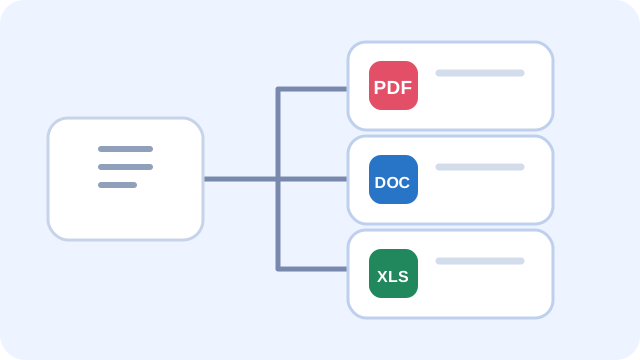
Use the PDF tools to organize pages, combine documents, or adjust page size. Conversion tools export PDF pages to Word, Excel, PowerPoint, text, or images; supported image and Office files can also be saved as PDFs. Check the relevant guide for the result and its limits.
For example, PDF to PowerPoint makes one image-based slide per PDF page. PDF to Excel extracts supported selectable text and detected tables; scanned image-only pages are not OCR processed.
What Convert Hau Does
Convert Hau provides browser-based image and archive tools, browser-side PDF-to-text and PDF-to-image exports, and server-processed PDF editing, PDF compression, and supported document conversions. Each tool page describes its supported files and the result to expect.
The tool pages identify when a file is sent to Convert Hau's conversion service. Some server jobs use temporary working directories that the application cleans up after processing; this does not establish hosting, infrastructure log, or provider retention behavior.
Supported File Formats
Available formats depend on the selected tool. Image tools cover formats such as PNG, JPG/JPEG, WebP, GIF, BMP, SVG, ICO, and AVIF. Document tools include PDF, DOC/DOCX, PPT/PPTX, XLS/XLSX, and selected text or web formats. Check each tool guide and the format choices shown in the converter before selecting a file.
Some conversions change how content is represented: PDF-to-PowerPoint creates image-based slides, PDF-to-Excel extracts supported selectable text and detected tables, and converting a transparent image to JPG fills transparent areas with white.
Conversion details
For supported document conversions, the server-side service uses LibreOffice. PDF pages use fixed layouts, while editable formats may reflow content; review the downloaded file before relying on it.
Getting Started
To get started, open a tool, choose a file, and select an output format if the tool offers a choice. Start processing, then download and inspect the result. Keep the original until you have checked that the converted file meets your needs.
For detailed guides on specific conversions, check out our Blog section where we cover topics like "How to Convert JPG to PDF," "PNG vs JPG: Which Format Should You Use?", and much more.
File converter questions
Is Convert Hau free to use?
The tools are currently available without an account or fee. Check the selected tool for current availability and any conditions.
Which file types can I convert?
Available tools support PDF and Office documents, common image formats such as JPG, PNG, and WebP, and other listed formats. Open a tool page to check its supported input and output types.
Are my files uploaded to a server?
Image conversion, archive creation, and PDF-to-text or PDF-to-image exports run in your browser. PDF editing/page tools, PDF compression, and supported PDF or Office document conversions upload files to Convert Hau's server. The chat assistant sends your message and conversation history to its service, which calls Google Gemini; do not include sensitive information in chat.
Do I need to install software?
No installation or account is required. Use the tools in a modern web browser with JavaScript enabled.
Image Tools
Convert images to PDF, export PDF pages as images, or reduce image file sizes.
Image conversion tools
Convert or edit images
1Choose an image tool or a PDF-to-image task.
2Select a supported image and set any available crop or output options.
3Create the output and check details such as transparency before downloading.
Crop Image
Crop JPG, PNG, or GIF images by selecting an area or entering its pixel dimensions. GIF crops use the first frame.
or drop a JPG, PNG, or GIF image here
Your image is processed in this browser.
File Converter
Choose a conversion tool to get started.
Conversion tools
Convert files
1Choose the conversion tool that matches the output you need.
2Add a supported file and choose an output format if that tool offers the option.
3Convert and download the result; review documents whose layout matters.
📁
Drop files here or click to select
Drag and drop your files, or click to open file browser
About this converter
File overview
File & ZIP Compressor
Reduce file sizes for PDFs, JPG, PNG, and WebP images, or compress multiple files into high-ratio ZIP archives with zero quality loss.
Compression tools
Compress or bundle files
1Choose PDF or image compression for one file, or ZIP to bundle files.
2Add files and adjust quality when that setting is available.
3Compare file size and quality; compression may not make every file smaller.
Compression Preset:
🗜️
Drop files or ZIP archives here
Compress PDFs, Images, Documents into Max-Compressed ZIP archives or individual files
File overview
PDF Tools
Choose a PDF tool to get started.
PDF tools
Work with PDF files
1Choose a PDF task, such as merge, split, rotate, or protect.
2Select your PDF files and enter the options requested by the tool.
3Process the file, then inspect and download the resulting PDF.
PDF
Drag and drop your PDF here
PDF documents only
File overview
Your PDF is sent to our conversion service for processing.
Review the removal result
Check the processed pages below. You can move through every page before downloading.
Page 1 of 1
✓
PDF processing complete
Blog & Guides
Practical notes for choosing formats and checking converted files. Open the linked tool page for supported inputs, steps, and current limits.
Turn JPG images into a PDF
Use Image to PDF when you want a photo or scan in a document that is easy to share or print. Select an image file, run the conversion, and review the PDF page before sending it. This tool creates a separate PDF for each selected image; it does not combine several images into one multi-page document.
PNG or JPG: which should you choose?
PNG is useful for graphics, screenshots, and images that need transparent areas. JPG is commonly used for photographs and usually produces smaller files, but it uses lossy compression and cannot keep transparency. Converting a JPG to PNG does not restore detail already lost. See the image conversion guide and inspect the output, especially where transparency or fine text matters.
What to expect from WebP
WebP supports lossy and lossless images and can preserve transparency. Whether it is a good choice depends on where the image will be used and which formats that destination accepts. Converting to JPG removes transparency; converting between formats does not guarantee a smaller file. Use the WebP converter and compare the file size and appearance.
PDF to Word: check the layout
The PDF-to-Word converter creates a DOCX file for editing. PDF pages use fixed positioning while Word content reflows, so columns, tables, fonts, and page breaks can change. Scanned pages are images and this tool does not promise OCR. Open and proofread the DOCX before relying on it.
Choose a document format for the job
PDF is useful when recipients should see a fixed-page layout. DOCX is designed for editing. Keep an editable source document when you expect revisions, and review any exported PDF for fonts, page breaks, and tables. Conversion results depend on the source document and the features it uses.
About Convert Hau
Convert Hau provides online tools for images, PDFs, and office documents. Image conversion, archive creation, and PDF-to-text or PDF-to-image exports run in the browser. PDF editing and compression, plus supported document conversions, are sent to the hosted conversion service.
How the tools work
Conversion results depend on the source file and the selected task. For example, PDF-to-PowerPoint creates image-based slides, while PDF-to-Excel extracts supported selectable text and detected tables. Each tool guide describes its input, output, and known limitations.
The frontend uses HTML, CSS, and JavaScript. Browser-based image conversion and PDF preview or image export use browser technologies; supported document conversions use LibreOffice on the server.
Contact
For questions or suggestions, visit the Contact page.
Contact Us
Have a question, suggestion, or bug report? Email the address below. This page does not submit a web form.
Feature Requests: Missing a file format? Suggest new conversion types or features that would help you.
Bug Reports: Encountered an issue? Let us know details about the problem, which files you were converting, and what error you received.
General Feedback: Tell us what you think about Convert Hau. Your feedback drives our development priorities.
Partnership Inquiries: Interested in collaborating or integrating Convert Hau into your service? Let's talk.
When reporting a problem, include the tool name and the steps that led to it. Avoid emailing sensitive files or personal information unless necessary.
Privacy Policy
Last Updated: October 2026
Files and conversion processing
Image conversion, archive creation, and PDF-to-text or PDF-to-image exports run in your browser. PDF editing/page tools, PDF compression, and supported PDF or Office document conversions send files to Convert Hau's server-side conversion service. Some server jobs use temporary working directories that the application cleans up after processing. This describes application-level handling; it does not establish retention in hosting, infrastructure logs, or third-party systems.
Analytics and advertising
The site loads Google Analytics and sends page views, tool names when a tool is opened, and general conversion or compression completion and failure events. The events configured by the site do not include the file's name, format, contents, or error message. Google may process information according to its own policies.
The Google AdSense script is loaded on the site. Google and its partners may use cookies or similar technologies to serve and measure ads, subject to your settings, Google's policies, and applicable consent requirements. Ad display is not guaranteed on every visit. See Google advertising information, Google Ads Settings, and aboutads.info choices.
Local storage and cookies
The site stores your theme and language preferences in your browser's local storage. The chat assistant sends the message and recent conversation history you submit to Convert Hau's chat service, which sends them to Google Gemini to generate a reply. Do not submit sensitive information through chat. Google services may use cookies or similar technologies as described in their policies; browser settings can manage cookies and may affect third-party features.
Contact
If you email Convert Hau, we receive the address and message you send. For privacy questions, contact convertflow38@gmail.com.
Updates
This notice may be updated as the site changes. The date above indicates when this page was last reviewed.
Terms & Conditions
Last Updated: October 2026
1. Acceptance of Terms
By accessing and using Convert Hau, you accept and agree to be bound by the terms and provision of this agreement. If you do not agree to abide by the above, please do not use this service.
2. Use License
You may use the website and its tools for lawful purposes. Do not interfere with the service, attempt to gain unauthorized access, or use the tools to process content in a way that violates applicable law or another person's rights.
3. Disclaimer
The materials on Convert Hau's website are provided on an 'as is' basis. Convert Hau makes no warranties, expressed or implied, and hereby disclaims and negates all other warranties including, without limitation, implied warranties or conditions of merchantability, fitness for a particular purpose, or non-infringement of intellectual property or other violation of rights.
4. Limitations
The website and conversion results are provided as available. Check downloaded files before relying on them, and keep a copy of your source file. These terms do not describe or guarantee a particular conversion result or service availability.
5. Accuracy of Materials
The materials appearing on Convert Hau's website could include technical, typographical, or photographic errors. Convert Hau does not warrant that any of the materials on the website are accurate, complete, or current. Convert Hau may make changes to the materials contained on its website at any time without notice.
6. Links
Convert Hau has not reviewed all of the sites linked to its website and is not responsible for the contents of any such linked site. The inclusion of any link does not imply endorsement by Convert Hau of the site. Use of any such linked website is at the user's own risk.
7. Modifications
Convert Hau may revise these terms of service for the website at any time without notice. By using this website, you are agreeing to be bound by the then current version of these terms of service.
8. Governing Law
No governing jurisdiction is specified in this notice. If you need legal terms for a particular jurisdiction, obtain advice appropriate to that jurisdiction before relying on this page.
9. Your files and rights
You are responsible for having the right to use and convert the files you provide. Do not use the service to process files unlawfully or to interfere with the website or its systems.
Contact for Terms Questions
If you have questions about these Terms & Conditions, please contact us at convertflow38@gmail.com.